Can I insert the recipient's name or email address?
Yes. Use a Text field variable whenever part of a template needs to change for each recipient.
For example, you can add a variable for:
- Customer name
- Email address
- Company
- Order number
- Ticket number
- Any other information you want to enter before insertion
When creating the variable, write a clear question such as:
Enter the customer's name
When you use the template, Typedesk asks you to provide the value. It then places that value in the correct part of the message.
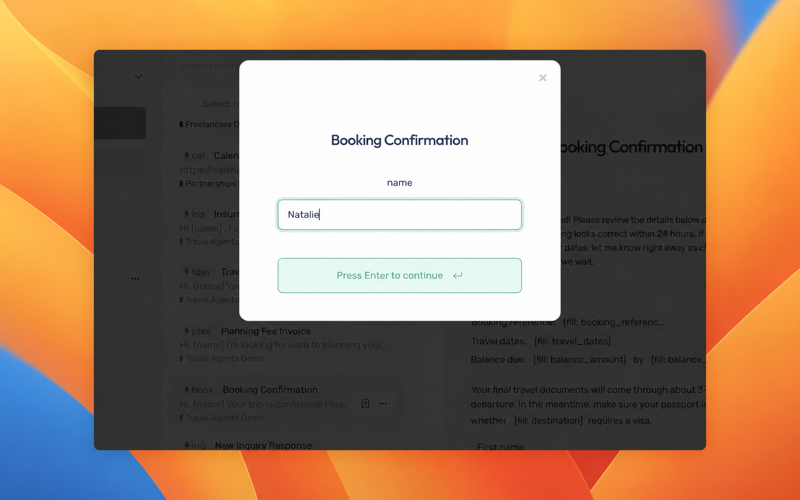
This method does not automatically detect the recipient's name or email address from the application you are using. You enter the information when completing the template.
If the same value appears several times, reuse the original variable. You will enter it once, and Typedesk will place it everywhere it is needed. One name, many appearances, zero repetitive typing.
Need more help?
Send us an email or chat with us using the button below. Our team will get back to you as quickly as possible!
Ask our community
Join our private Facebook group where you can ask tips and tricks to other typedesk users!



