Home Canned Responses
what are canned responses

Canned Responses: The Complete Guide to Faster Communication

Canned responses are pre-written templates that help you reply to common questions instantly. Whether you're in customer service, sales, or support, canned responses save hours of repetitive typing. Discover how to create, organize, and share canned response templates with typedesk.

Available on Mac, Windows and in your browser

300+ reviews

How to create canned responses?

Creating and using canned responses can significantly speed up your communication. Here's how to get started with canned response templates.

Without typedesk

Create canned responses using your app's built-in features (if available).

With typedesk

Use typedesk to create powerful canned responses that work everywhere.

1

Open your email client or support tool. Look for a 'Templates' or 'Canned Responses' feature in the settings.

2

Compose the response you want to reuse. Save it as a template within the app.

3

To use the canned response, navigate to the templates menu and select the one you need.

4

Note: most apps have limited canned response features — no sharing, no variables, no cross-platform support.

1

Press Alt+N to create a new canned response in typedesk.

2

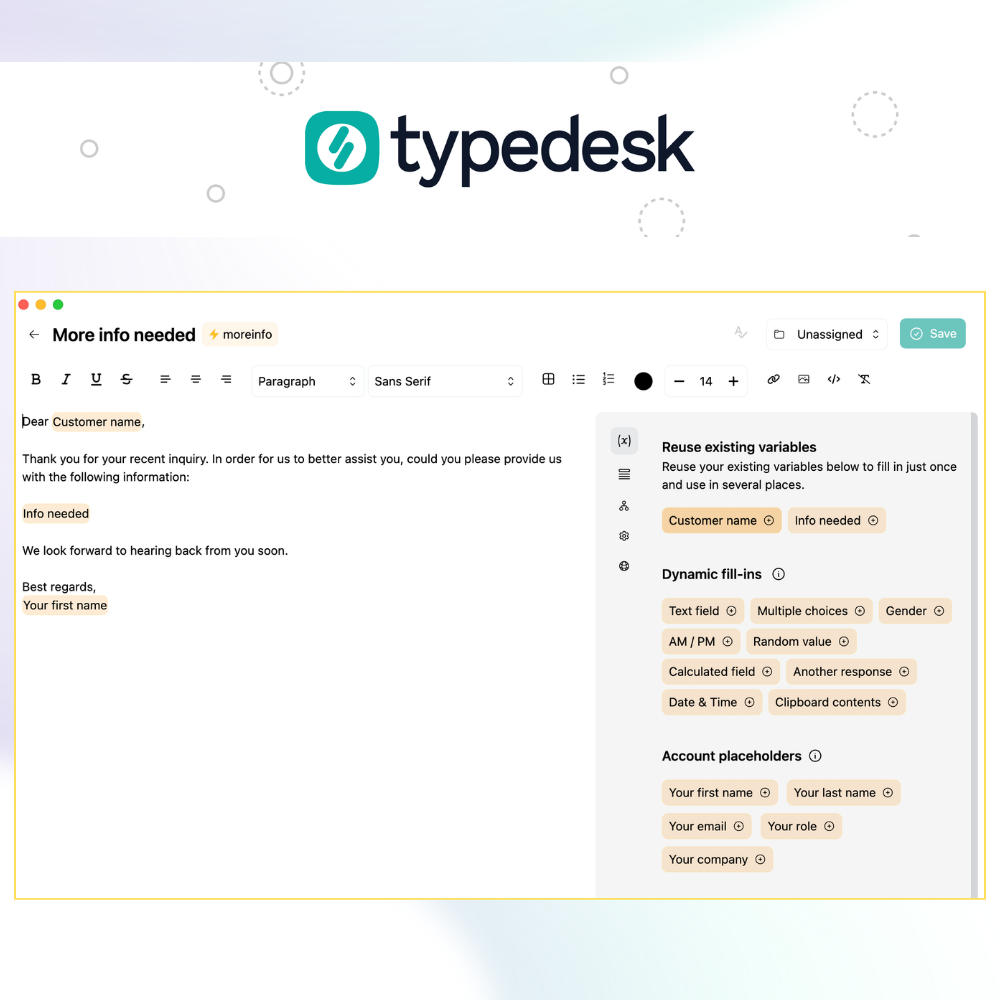
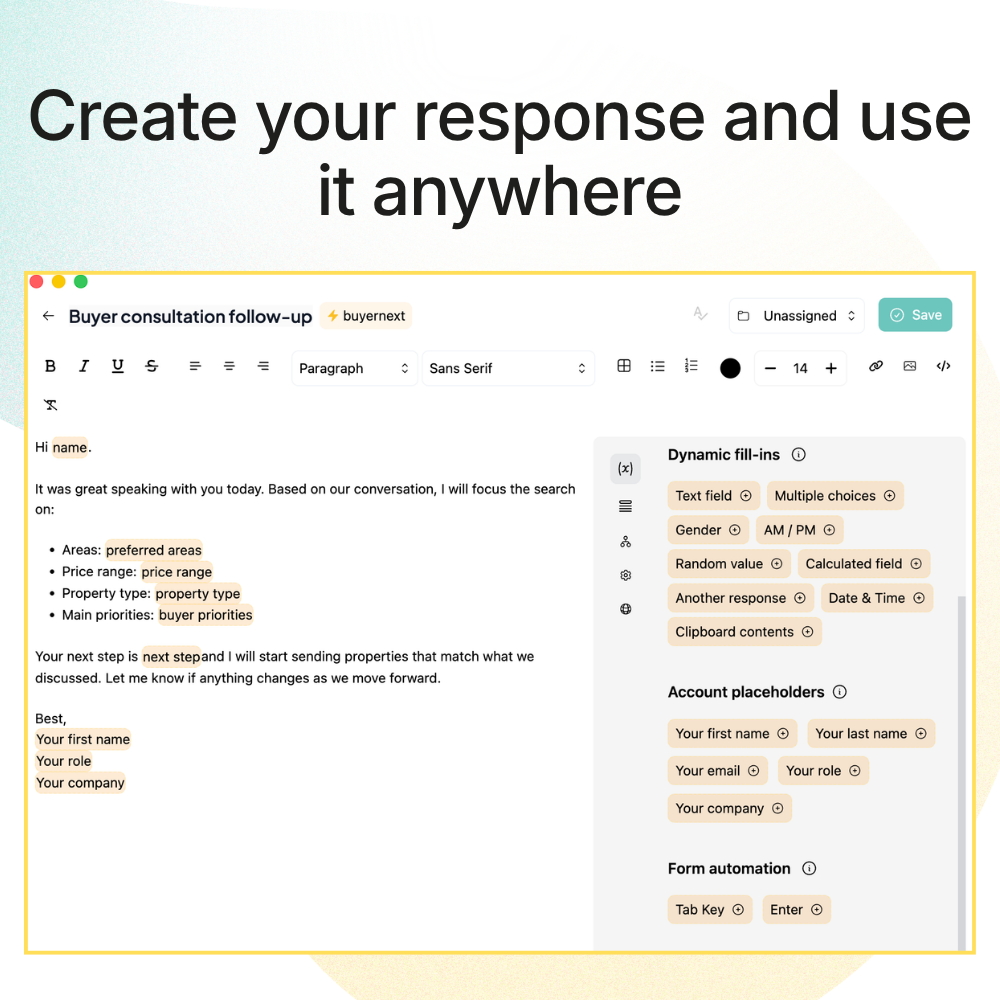
Write your response, add optional fill-in variables, and assign a text shortcut.

3

To use your canned response, type / followed by your shortcut in any app or website.

what are canned responses
typedesk + typedesk

Create and share canned responses

typedesk text expander is your ultimate tool for creating and managing canned responses. Imagine having all your go-to replies ready to use with just a few keystrokes.

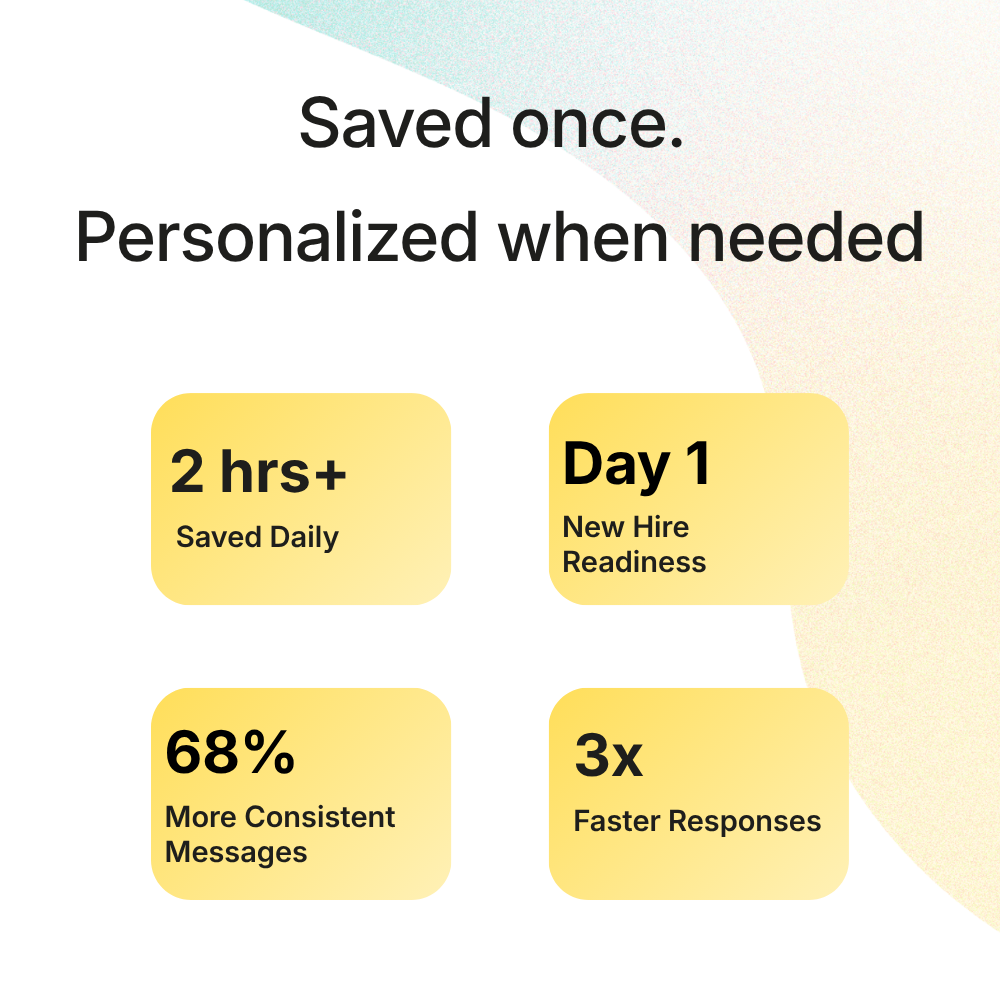
Save several hours a week and increase your productivity. With typedesk, you have a powerful tool designed to transform repetitive messaging into a smooth, effortless process.

How it works

Get started with typedesk to create canned responses and start saving time today!

what are canned responses
1

Download typedesk text expander for Windows and Mac. It's easy to set up and use.

2

Create your canned responses in typedesk. Assign a text shortcut for each one.

3

Open any app or website, type / followed by your shortcut, and typedesk inserts your canned response instantly.

what are canned responses

Use your canned responses everywhere

Save time across all platforms with typedesk. Whether you need canned responses for customer service, Gmail, Outlook, Zendesk, or any other app, typedesk empowers you to streamline your workflow.

Create and access your canned response templates seamlessly across platforms. Say goodbye to repetitive typing and hello to increased productivity.

The most powerful way to manage canned responses

typedesk makes canned responses more powerful with variables, sharing, and cross-platform support.

Create canned responses with fill-in variables

typedesk lets you add custom placeholders to your canned responses, so each reply can be personalized before sending.

Works with every app and website

Unlike built-in canned response features, typedesk works everywhere — email, chat, CRM, social media, and more.

Share canned responses with your team

typedesk makes sharing canned response templates easy and intuitive. Keep your whole team consistent.

Insert canned responses with a text shortcut

Type a short keyword and typedesk instantly expands it into your full canned response. No menus, no clicking.

Take canned responses to a new level

See how typedesk compares to built-in canned response features.

Features

typedesk what are canned responses
what are canned responses

Create templates with fill-in placeholders

what are canned responses

Share templates with other people

what are canned responses

Insert email templates with a text shortcut

what are canned responses

Search your email templates with keywords

what are canned responses

Organize your email templates into folders

what are canned responses

Use your email templates everywhere

what are canned responses

Powering canned responses for hundreds of teams

Create your canned responses with typedesk and save several hours a week!

I love typedesk! It is by far one of my favourite tools to have in our tech stack.

Customer review

Pip Meecham

Tech Advisor & ClickUp Channel Partner

We use typedesk to ensure that communications remain aligned and uniform across all our channels as our company scales up.

Customer review

Michael Johnson

Senior Certification Specialist, HighLevel

This software is unreal. It's like having a ChatGPT writing assistant on every single app I use and having all the prompts I can create at my fingertips.

Customer review

Michael Montefusco

Founder, Fitness Marketing Machine

This app is a phenomenal tool.

Customer review

David Shutler

Senior Recruitment Consultant

While our help desk does provide saved answers, I use typedesk to maintain a personal voice in my canned responses quickly and efficiently.

Melanie Shears

Finance & People Operations, Customer Billing Specialist, Helpscout

Typdesk is a cross-platform tool that is highly valued by its developers and receives frequent updates. Although I sometimes encounter problems with new updates, the responsive team promptly fixes them. Overall, my experience with Typdesk has been excellent.

Customer review

Natasha

HR Manager interested in upscaling orgs

Amazing time saver! Things that used to take several minutes now take several seconds. It reduces time, fatigue, and prevents errors. Michel is awesome at updating and maintaining the program. Highly recommended!

Customer review

Ben Delville

Work in IT, prefer outdoors.

Excellent product! Switched over from T*xtExpand*r and TypeDesk is soooooo much better. I highly recommend to anyone considering purchase. Congrats on the launch and keep up the good work!

Customer review

C J

Cybersecurity consultant and blogger.

This app is a totally time-saver. So amazing when it comes to typing reports and email messages when I want to save time.

Customer review

Dr. Gwen Smith

Energy healing life coach

Fantastic app. I have been a customer for past 2 years. Deployed this on 6 of our companies and my users can't function without this tools. We have adopted it into daily operation. Simply the best. We stopped using the rest of the tools despited we paid for them.

Customer review

Andy Tran

@andy_tran15

Awesome tool and time-saver

Customer review

Clay Curtin

Local gov

Use for product support where repetitive replies are not as simple as using an FAQ. Easy to paste and then edit to suit individual questions. Timesaver as well as brain saver!

Customer review

J GW

hi

Typedesk is an automation tool for canned responses that can help increase efficiency and productivity in customer support. With this tool, agents can create and save predefined responses for common questions, allowing them to quickly respond to customers without having to type the same response over and over again. Typedesk is especially useful for those who work in customer support or similar roles where they receive many similar questions. Users can organize their responses into categories for easy searching and retrieval, and they can also customize their responses with replacement fields to tailor them to each specific case.

Customer review

Tony Wiljanden

@tony_wiljanden

Customer review

Jeremy Muselet

Business Development

Customer review

Cyndi Dermody

@cyndi_dermody

Typedesk is a great way to automate your email responses.

janawilliams

I have just bee using this for 10 days and I am already loving the way it integrates with different service desks. I could not actually find a competitive alternative to typedesk.

Gu

I wasn't exactly sure what it does or how it might help me. But the basic concept sounded like something that might come in handy for someone like me who is launching his own membership platform where I'll be engaging customers through a support desk, creating tutorials and running a membership site.

ricklewis

Fantastic tool for Content Creators or small Social media teams to interact across social media. Respond quickly and at scale to incoming and outgoing DM's. Great for fast Email responses. Perfect tool for answering similar questions. Team Folders is fantastic and it's the reason you should stack this offer. Get it. It saves so much time and effort.

pintofoptimism

I often found it difficult to repeatedly type the same content. I told myself to create some kinds of storage for easy copy and paste, but I often gave up because of the inconvenience in working out such a storage. And TypeDesk really come as a rescue: a full-round solution and helped me to save significant repeating time!!!

HoangV

Typedesk will make our team much more productive in the future. Since purchasing it, I'm constantly adding new text templates, mostly related to client communication, to share with the team. The ability to work with different variants and variables is absolutely unbeatable. 100% recommendation.

Sumo-ling

Overall, good tool that does what it says. Useful if you have a lot of texts that you often reuse. Not just for emails but actually for any text or words, or emojis. Tool is simple but functional, you can group your texts into folders etc. It is rather intuitive and works well.

atis

this is a must-have tool for all company owners! huge time saver

masuk_sarker

Canned responses have been a fantastic way to save time during my onboarding process with clients along with the weekly/monthly reporting emails. Unfortunately, things got a little messy when testing out different CRMs, integrating emails, and dealing with the CRMs' built-in email templates PLUS my Gmail templates. With typedesk, this problem is solved!

JohnG23

I had been looking for something exactly like this for a while because others I've tried have disappointed me. I was beginning to think I would never find it.

Sumo-ling

Show more testimonials

Trusted by 15,000+ teams worldwide

Frequently asked questions

Everything you need to know about canned responses.

Visit learning center

What is a canned response?

A canned response is a pre-written message template that can be quickly inserted into emails, chats, or support tickets. Instead of typing the same answer repeatedly, you save it once and reuse it whenever needed. Canned responses help teams maintain consistency, reduce response times, and improve customer satisfaction. With typedesk text expander, you can create and manage canned responses that work across every app and website.

What does canned response mean?

The term canned response refers to a pre-prepared, standardized reply to a common question or situation. The word 'canned' means pre-packaged or ready-made. In business communication, canned responses are templates that help you respond quickly without sacrificing quality. They're widely used in customer support, sales, and internal communication.

What are canned responses for customer service?

Canned responses for customer service are pre-written reply templates that support agents use to answer frequently asked questions. They cover common scenarios like order status inquiries, password resets, refund policies, and troubleshooting steps. Using canned responses helps support teams respond faster and maintain a consistent tone across all customer interactions.

How do I create effective canned responses?

To create effective canned responses: (1) Identify your most common questions and scenarios. (2) Write clear, helpful replies that sound natural — not robotic. (3) Add personalization variables like the customer's name. (4) Organize them into categories for easy access. (5) Review and update them regularly. typedesk makes this process easy with its template builder, variable system, and folder organization.

Can I share canned responses with my team?

Yes! With typedesk, you can easily share canned responses with your team. This ensures everyone uses the same up-to-date templates, maintaining consistency in your communication. When you update a canned response, the changes sync automatically to all team members.

What are examples of canned responses?

Common canned response examples include: greeting messages ('Hi [Name], thank you for reaching out!'), acknowledgment replies ('We've received your request and will get back to you within 24 hours'), troubleshooting steps, refund/return policy explanations, and closing messages. With typedesk, you can create templates for any scenario and insert them with a simple keyboard shortcut.

Start your free trial today

Join the text expander revolution. Get typedesk for you and your team today to reclaim your time!

Start 14-day free trial
the document template generator ranked 5/5 on document automation platforms

Rated 4.8/5 over 300+ verified reviews