
LinkedIn + Typedesk
message templates you can reuse everywhere
Connection requests, InMails, recruiting outreach, and sales follow-ups often follow the same structure. Standard LinkedIn messaging has no reusable template library, so a common workaround is retyping messages or copying them from a document. Typedesk lets you save each message once and insert it into LinkedIn using a short shortcut like /connect or /followup. This page shows how Typedesk works on LinkedIn and what it adds beyond LinkedIn's standard messaging tools.
Available on Mac, Windows and in your browser

Rated 4.8/5 over 300+ verified reviews
How to create message templates on LinkedIn
LinkedIn offers message templates in Recruiter and Recruiter Lite, but not in standard LinkedIn messaging. Recruiter templates also remain limited to recruiting workflows. Here is the manual workaround for regular LinkedIn messaging and the faster way with Typedesk.
Without Typedesk
For reference, here is the manual situation. Standard LinkedIn messaging has no reusable template library. Recruiter and Recruiter Lite offer templates, but they are limited to those recruiting products. A common workaround is keeping frequently used messages in a document and pasting them into LinkedIn.
With Typedesk
Typedesk runs through the browser extension, so it works directly on linkedin.com. No doc to dig through, no copying and pasting.
Keep your best connection notes and follow-ups in a separate doc.
When you need one, switch to that doc and copy the text.
Paste it into the LinkedIn message or connection note and edit the details by hand.
Because standard LinkedIn messaging has no reusable template library, you have to switch tools and copy and paste each time.
Save your standard LinkedIn messages in Typedesk, each with a short shortcut like /connect or /followup.
Open a message, InMail, or connection note on LinkedIn and type the shortcut.
The full message expands instantly, ready to personalize and send.
Why LinkedIn outreach needs templates
- Connection request notes for different audiences.
- Recruiting outreach and InMail openers.
- Sales prospecting and follow-up messages.
- Networking thank-yous and re-connect messages.
How it works
Set up Typedesk once and reuse your LinkedIn messages everywhere you type.
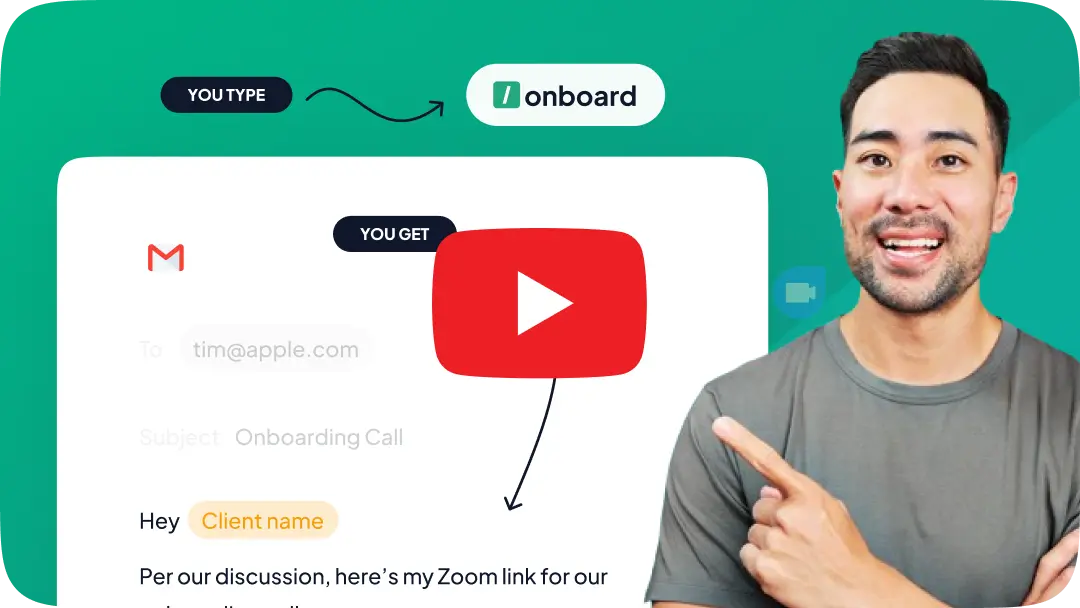
Install the Typedesk browser extension, plus the desktop app for Windows or Mac.
Save your most-used LinkedIn messages as templates, each with a short shortcut like /connect or /followup.
On LinkedIn, type the shortcut in a message or connection note and the full message expands instantly.
One library for LinkedIn and everywhere else
Your outreach should not be locked in a doc or a paid recruiting product. Typedesk keeps a single library, so the same messages you use on LinkedIn also work in email, Outlook, your CRM, and any web form. Update the wording once, and it updates everywhere, and teams can share one approved library so everyone stays on-message.
Your LinkedIn messages, with superpowers!
Typedesk text expander gives standard LinkedIn messaging the reusable templates it lacks, with smart placeholders and easy sharing.
Customize every LinkedIn message with variables
Typedesk drops the person's name, company, or role into your message as it expands, so outreach at scale still reads like you wrote it by hand.
Works beyond LinkedIn, in every app
Typedesk messages work on linkedin.com and in email, your CRM, and every other app your team uses, all from one library, with no paid recruiting product required.
Share one message library with your team
Keep every approved message in a single shared library so your whole team reaches out consistently. Update the wording once and everyone gets it.
Insert any LinkedIn message with a shortcut
Type a short shortcut like /connect and the full message expands right in the message or connection-note box, with no doc to open and nothing to paste.
Give standard LinkedIn messaging the templates it is missing
The most versatile way to create and reuse messages on LinkedIn
Features

Create templates with custom fill-in fields


Share templates with teammates
Insert templates with a text shortcut
Search templates by keyword
Organize templates into folders
Reuse the same templates across apps
Comparison covers the built-in reusable-message features available in each product's standard interface. Optional add-ins, mobile keyboards, developer APIs, and third-party tools are excluded.
Send LinkedIn messages faster
Save your best connection notes, InMails, and follow-ups in Typedesk once, assign a shortcut to each, and reach out in seconds while keeping it personal.
I love typedesk! It is by far one of my favourite tools to have in our tech stack.

Pip Meecham
Tech Advisor & ClickUp Channel Partner
We use typedesk to ensure that communications remain aligned and uniform across all our channels as our company scales up.

Michael Johnson
Senior Certification Specialist, HighLevel
This software is unreal. It's like having a ChatGPT writing assistant on every single app I use and having all the prompts I can create at my fingertips.

Michael Montefusco
Founder, Fitness Marketing Machine
This app is a phenomenal tool.

David Shutler
Senior Recruitment Consultant
While our help desk does provide saved answers, I use typedesk to maintain a personal voice in my canned responses quickly and efficiently.
Melanie Shears
Finance & People Operations, Customer Billing Specialist, Helpscout
Typdesk is a cross-platform tool that is highly valued by its developers and receives frequent updates. Although I sometimes encounter problems with new updates, the responsive team promptly fixes them. Overall, my experience with Typdesk has been excellent.

Natasha
HR Manager interested in upscaling orgs
Best app purchase of all time! Great time saver, fantastic customer service and support and the product keeps improving

Elite Performance Academy
I run a football academy in Bangkok
Typedesk is one of my favourite tools and saves me literally 2+ hours a day, I use it every 5 mins or so. Highly recommended!

Shane Harris (Patch)
@shane_harris_patch_
Excellent product! Switched over from T*xtExpand*r and TypeDesk is soooooo much better. I highly recommend to anyone considering purchase. Congrats on the launch and keep up the good work!

C J
Cybersecurity consultant and blogger.
My entire team uses Typedesk from sales to legal to project management. It's incredibly easy to use and saves us so much time. I've actually started saving ChatGPT prompts that I like for quick access using Typedesk as well 🙌🏼

Ronnie Sharpe
@ronnie_sharpe1
Great! It will surprise you

Truong Nguyen
SM
i been using typedesk for several years, since 2021, i would say the software is great, i have windows/mac they sync perfectly, this is one of the software that i use everyday, it saves much of my time on thinking on how to answer clients, i have my FAQ in typedesk, i just search it and copy/paste into my support desks. i love it has a search function, and i can share the answers with my co-workers. so they save time on answering FAQs.

李鼎嘉
@new_user_74d7929319
Typedesk is an amazing app, and i've been using for quite some time now! Thanks @michel_vermeulen1 for adding the OpenAI integration. Do you have any tutorials setup yet on how to actually use the integration?

Ali Khalil
@ali_khalil

Cyndi Dermody
@cyndi_dermody
After trying others, looking at how they worked (or didn't), and looking at their features and prices I realized, this is one sweet deal. Its clean, simple and does its job. Support is quick to reply. Thank you.
woodennickel
I use TextBlaze and I was looking for an alternative. typedesk is the perfect solution for me. The interface is clean and modern. It is easy to use and it works :) I am very happy with my purchase. Thank you guys from AS and typedesk for bringing this amazing deal to us!
MBO
Typedesk is a great tool for those who want to save time.
Avinash.Katta
I purchased typedesk and started using it. This app is one of the best in corresponding with our clients. Now I dont need to write emails, proposal etc again and again. typedesk made life easier, it's my assistant buddy now. Thanks typedesk... Highly recommended!
Sumo-ling
I had been looking for something exactly like this for a while because others I've tried have disappointed me. I was beginning to think I would never find it.
Sumo-ling
this is a must-have tool for all company owners! huge time saver
masuk_sarker
This is the kind of tool that is a bit underrated, it deserves even more love. I am sucker for time savings and improving my effiency and this tool does deliver. Love the ease of use and the way it makes me more productive even minutes after I started to use this. The only thing I need to do is to think when I type in something I reuse a lot, to make a canned response of it! Well deserved 5 taco's!
BossOfTime
Anyone that values their time should use a text expander solution.
Sumo-ling
Overall, good tool that does what it says. Useful if you have a lot of texts that you often reuse. Not just for emails but actually for any text or words, or emojis. Tool is simple but functional, you can group your texts into folders etc. It is rather intuitive and works well.
atis
I love automation, saving time and keystrokes, and minimizing typos - so I already had text expansion set up on my computer, but it didn't work in every app.
JimHohl
It is very easy to use. Simplicity is key which is perfect, because you don't want to be bogged down and distracted when a fast response is required. Glad i purchased, will definately get my ROI with time saved
James_Riddles

Trusted by 15,000+ teams worldwide

Frequently asked questions
Common questions about LinkedIn message templates and canned responses.
Visit learning center
 Does LinkedIn have message templates?
Does Typedesk work on LinkedIn?
Can I personalize each message?
Can my whole team share the same LinkedIn messages?
Do I need Recruiter or Recruiter Lite?
Sign up for FREE today
Join the text expander revolution. Get typedesk for you and your team today to reclaim your time!

Rated 4.8/5 over 300+ verified reviews
Live from our Blog Credential Evaluation Email Templates: 10 Ready-to-Use Examples


