
LiveChat + Typedesk
canned responses you can reuse everywhere
Agents in LiveChat answer the same questions all day. LiveChat has native canned responses, but they only work inside LiveChat. Typedesk lets you save each answer once and drop it into a chat by typing a short shortcut like /refund or /hours, and it works in LiveChat and every other app your team uses. This page shows how the Typedesk integration works with LiveChat and where it goes beyond native canned responses.
Available on Mac, Windows and in your browser

Rated 4.8/5 over 300+ verified reviews
How to create canned responses in LiveChat
LiveChat has native canned responses with a # shortcut, shared and private options, and search, but they stay inside LiveChat. Here is the native method, and the faster, more flexible way with Typedesk.
Without Typedesk
For reference, here is the native method. LiveChat canned responses support a # shortcut, shared or private scope, and search, but they stay inside LiveChat.
With Typedesk
Typedesk runs through the browser extension, so it works directly inside the LiveChat agent app and everywhere else you type.
In Settings, open Canned responses and create a new one.
Add the text and one or more shortcuts, then choose Shared or Private.
In a chat, type # followed by the shortcut to insert it.
Because canned responses stay inside LiveChat, you cannot reuse them in email or any other app.
Save your standard answers in Typedesk, each with a short shortcut like /refund.
Open a LiveChat conversation and type the shortcut in the message box.
The full response expands instantly, ready to send or edit.
Why LiveChat agents rely on canned responses
- Refund, billing, and cancellation answers.
- Opening hours, pricing, and availability replies.
- Troubleshooting steps for your top recurring issues.
- Friendly openers and closers that keep tone consistent.
How it works
Set up Typedesk once and reuse your LiveChat replies everywhere you work.
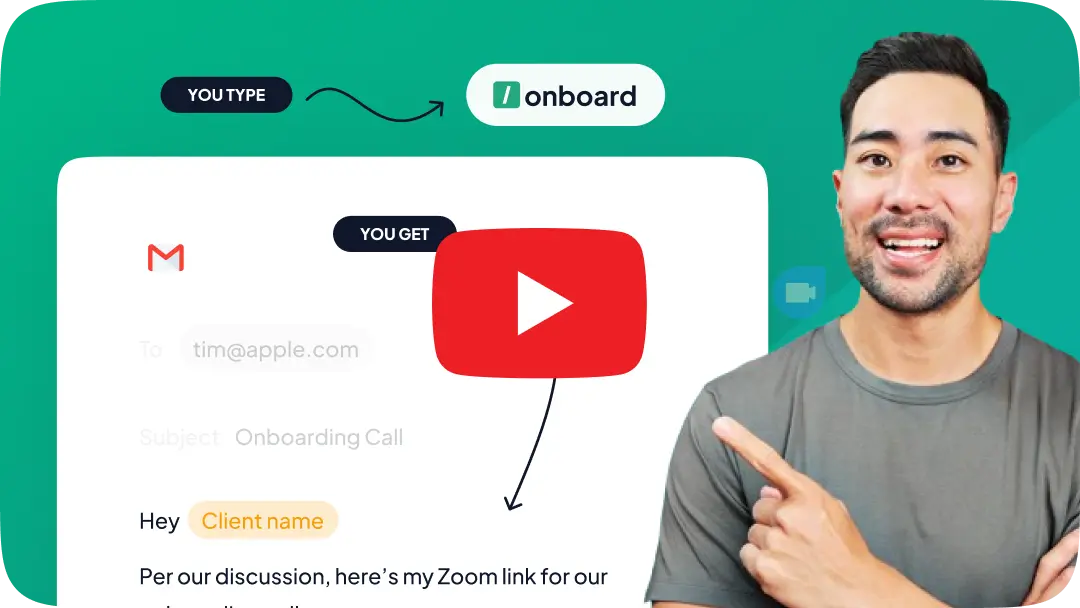
Install the Typedesk browser extension, plus the desktop app for Windows or Mac.
Save your most-used LiveChat answers as templates, each with a short shortcut like /refund or /hours.
In a LiveChat conversation, type the shortcut in the message box and the full response expands instantly.
Your LiveChat replies, with superpowers!
Typedesk text expander takes LiveChat canned responses further, with fill-in fields and use beyond LiveChat.
Fill in details as you type
Typedesk adds fields you complete as the template expands, for order numbers, dates, or anything specific to the chat, so a canned answer still reads like a real one.
Works beyond LiveChat, in every app
Typedesk replies work in the LiveChat agent app and in email, Slack, and every other app your team uses, all from one library.
Share one reply library with your team
Keep every approved answer in a single shared library so your whole team replies consistently, with central updates pushed to everyone.
Insert any reply with a shortcut
Type a short shortcut like /refund and the full response expands right in the LiveChat message box, and the same shortcut works everywhere else too.
Take LiveChat canned responses to a new level
The most versatile way to create and reuse replies in LiveChat
Features

Create templates with custom fill-in fields


Share templates with teammates
Insert templates with a text shortcut
Search templates by keyword
Organize templates into folders
Reuse the same templates across apps
Comparison covers the built-in reusable-message features available in each product's standard interface. Optional add-ins, mobile keyboards, developer APIs, and third-party tools are excluded.
LiveChat canned responses stay inside LiveChat; Typedesk adds fields you fill in as you type and lets you reuse the same replies across every app.
Reply faster in LiveChat
Load your most-used answers into Typedesk, assign a shortcut to each, and let your agents reply in seconds while staying on-brand.
I love typedesk! It is by far one of my favourite tools to have in our tech stack.

Pip Meecham
Tech Advisor & ClickUp Channel Partner
We use typedesk to ensure that communications remain aligned and uniform across all our channels as our company scales up.

Michael Johnson
Senior Certification Specialist, HighLevel
This software is unreal. It's like having a ChatGPT writing assistant on every single app I use and having all the prompts I can create at my fingertips.

Michael Montefusco
Founder, Fitness Marketing Machine
This app is a phenomenal tool.

David Shutler
Senior Recruitment Consultant
While our help desk does provide saved answers, I use typedesk to maintain a personal voice in my canned responses quickly and efficiently.
Melanie Shears
Finance & People Operations, Customer Billing Specialist, Helpscout
I have purchased many lifetime deal apps (and their competitors) over the years because I believe that technology stacks can improve efficiency, quality, and customer experience. Many of these deals end up being okay. Some end up dying or being duds. Typedesk is one of the few I'm proud to champion. It does its job, and does its job well. It is easy to set up new prompts for expansion, and I feel the pull to create one any time I'm writing text that I think will be a repeated in the future. I don't have to reinvent the wheel everytime I receive a question, and I can standardize my team's responses. We are a law firm, so client confidentiality is also of upmost importance. I really appreciate typedesk's focus on user privacy. Not only do they claim a privacy-centric approach, they explain how they can accomplish it. Before typedesk, I had written a script to insert canned responses into emails and saved my team all kinds of time, but now we can use canned responses anywhere, and it has a much better user experience than what I had been able to provide. Now, typedesk has done it again with their GPT integration! GPT is great, but having it available in context is another great time-saving feature. Now I don't need to rely on another one of my hacky scripts to accomplish the same. This product is reasonably priced, has a great interface, works reliably, focuses on privacy, and has its finger on the pulse. I recommend this product all over the place, and the team makes it really easy for me to want to do so. Keep it up @michel_vermeulen1 !

Alex Shahrestani
Law partner and legal-tech founder.
Simple app that saves an abundance of time in canned responses across browser and Mac desktop.
Long Nguyen
Multimedia Designer and Zenfluencer.
Typedesk is an innovative TextExpander alternative that I use daily. Can’t recommend it enough. Can’t wait until it’s available on iOS! Highly recommend.

Steven 👾
Helping people work smarter, not harder.
Very interesting.. love the functionality

Bernard T
Serial entrepreneur, tech geek
I wish you all the best with the launch. One of the tools I use every day is Typedesk, and as I use it more, it becomes more valuable to me. In all honesty, I am a happy user.

Goran
@goranm
Perfect, it work like vscode suggest for non-coder

Nam Khanh Nguyen
Just want to explore the world
This app is a totally time-saver. So amazing when it comes to typing reports and email messages when I want to save time.

Dr. Gwen Smith
Energy healing life coach
This is an amazing tool I have been using for about a year now. The latest version is super fast. I can prepare all the canned messages I usually use (I'm sure your like me and often use the same sentences ;). SO, it's a big THUMBS UP for Typedesk !

Ghislain DEMONDA
Everlasting learner
🤗 I have been using Typedesk since December 2021 and I will never go back, there are really so many use cases for this incredible tool, that a comment is not enough, I will summarize it by saying that I use it every day and at all times: A keyboard shortcut + a couple enter or text entries and everything solved... 🔥 Many customers have noticed the difference and have asked me directly "How do you do it?", obviously I have recommended them in every way. 🤯 I've seen the announcements of the new features, specifically the integration with ChatGPT, it will be a very powerful thing to further increase the value over Typedesk and also improve day-to-day productivity. About this (and it is understood) the only thing I regret is that it requires a paid ChatGPT account, which is an AI that I have tried, I see its potential for use, but I still haven't finished integrating it into my flow to pay for it. I know that day will come sooner rather than later, but for now I will wait. Thanks to the amazing team at Typedesk, they are the best 🏆 @michel_vermeulen1 -- Idioma nativo: 🤗 Estoy usando Typedesk desde diciembre 2021 y jamás volveré atrás, realmente son tantos los casos de uso para esta increíble herramienta, que no basta un comentario, lo resumiré diciendo que lo uso todos los días y a toda hora: Un atajo de teclado + un par de enter o entradas de texto y todo resuelto... 🔥 Muchos clientes han notado la diferencia y me han preguntado directamente "¿Cómo haces?", obviamente los he recomendado en todo sentido. 🤯 He visto los anuncios de las nuevas funciones, específicamente la integración con ChatGPT, será algo muy poderoso para aumentar aún más el valor sobre Typedesk y también para mejorar la productividad en el día a día. Sobre esto (y se entiende) lo único que lamento es que requiera cuenta pago de ChatGPT, que es una IA que he probado, veo su potencial de uso, pero aún no la termino de integrar a mi flujo como para pagar por ello... Se que ese día llegará más temprano que tarde, pero por el momento esperaré. Gracias al increíble equipo de Typedesk, son los mejores 🏆 @michel_vermeulen1

Jorge A. Merino
DISEÑADOR GRÁFICO Y WEB
Really useful. easy to use everyday

Greg Petithomme
@greg_petithomme
Typedesk is an automation tool for canned responses that can help increase efficiency and productivity in customer support. With this tool, agents can create and save predefined responses for common questions, allowing them to quickly respond to customers without having to type the same response over and over again. Typedesk is especially useful for those who work in customer support or similar roles where they receive many similar questions. Users can organize their responses into categories for easy searching and retrieval, and they can also customize their responses with replacement fields to tailor them to each specific case.

Tony Wiljanden
@tony_wiljanden
Congrats @michel_vermeulen1 on the new launch. Typedesk has hit the floor running, adding great value and features from the start. It has come a long way with each new update. Michel has always provided great support and eager to build on client suggestions. The UI/UX has improved so much and the canned responses are now super fast. With adding things like ChatGPT, we look forward to future development. Last year I wanted to use typedesk to fill out repetitive online forms and he said that it is not possible at the moment but finished the email with "But, never say never". Well, we are now in neverland.

Hak
@hak_jenkins
Brilliant text expander. Highly recommended for personal or team use.

Marcelo Bacchi
@marcelo_bacchi1
Started using it a few weeks ago... it's honestly a god send [can't believe it's the only solution out there of its type]... And the beauty of it is that it's reasonably priced, the team is responsive and it just works! Can't wait for the future of TypeDesk!

Emmanuel Lemor
@emmanuellemor
I have been using Typedesk for a few months, and it has saved me so much time and allowed me to send out constant messages effortlessly!

Tor Jones
Backpack is filled with colored pencils.

Jeremy Muselet
Business Development
I am a past user of textexpander. What I can already say is that I am surprised that I can do even more with this product than with textexpander. I can store different language versions. Snippets and small programs for batch automation.... I think it is exactly the right program for me!
_SebastianB_
I am very impressed with how the team handled my 3 star review. They reached out directly to Malwarebytes, got them the info to get the product white listed, and then followed up with me. This is a much needed product, if you type the same thing multiple times. Don't let this get away from you. It's a great product with 5 star service.
Kathe
Anyone that values their time should use a text expander solution.
Sumo-ling
I didn't think it was very useful for my small business but I tried it and within a day I purchased a code! It is so awesome and helpful. Saves me loads of time and I no longer make the mistake of putting someone else’s name in an email when copying the text. I use it to put in my brand color codes everywhere when needed, fast reply's and so much more. Really love it.
Puck

Trusted by 15,000+ teams worldwide

 Does LiveChat have canned responses?
How is Typedesk different from LiveChat canned responses?
Does Typedesk work inside LiveChat?
Can the whole support team share the same responses?
Is it free?
Sign up for FREE today
Join the text expander revolution. Get typedesk for you and your team today to reclaim your time!

Rated 4.8/5 over 300+ verified reviews
Live from our Blog Omnichannel Support Software: How to Choose the Right Tools


