
Front + Typedesk
canned responses you can reuse everywhere
Teams in Front reply to shared inboxes all day, sending the same answers again and again. Front has capable message templates with shared folders, a /template shortcut, and dynamic variables, but they only work inside Front. Typedesk lets you save each reply once and use it in Front and every other app your team works in, filling in details as you type. This page shows how the Typedesk integration works with Front and where it goes beyond native templates.
Available on Mac, Windows and in your browser

Rated 4.8/5 over 300+ verified reviews
How to create message templates in Front
Front has capable message templates with folders, search, a /template shortcut, and dynamic variables, but they stay inside Front. Here is the native method, and how Typedesk adds to it.
Without Typedesk
For reference, here is the native method. Front message templates support shared folders, keyword search, a /template shortcut, and dynamic variables, but they stay inside Front.
With Typedesk
Typedesk runs through the browser extension, so the same replies work inside Front and everywhere else you type.
In Front, open the message templates area and create a new template.
Write your template, choose private or shared, and pick a folder to nest it under.
In a reply, type / and the template name to insert it, or pick it from the templates menu.
Because templates stay inside Front, you cannot reuse them in other apps your team works in.
Save your standard answers in Typedesk, each with a short shortcut like /refund.
Open a Front conversation, or any other app, and type the shortcut in the reply box.
The full response expands instantly, ready to send or edit.
Why Front teams rely on canned responses
- Refund, return, and cancellation policies.
- Shipping and delivery status replies.
- Troubleshooting steps for your top recurring issues.
- Friendly openers and closers that keep tone consistent.
How it works
Set up Typedesk once and reuse your Front replies everywhere you work.
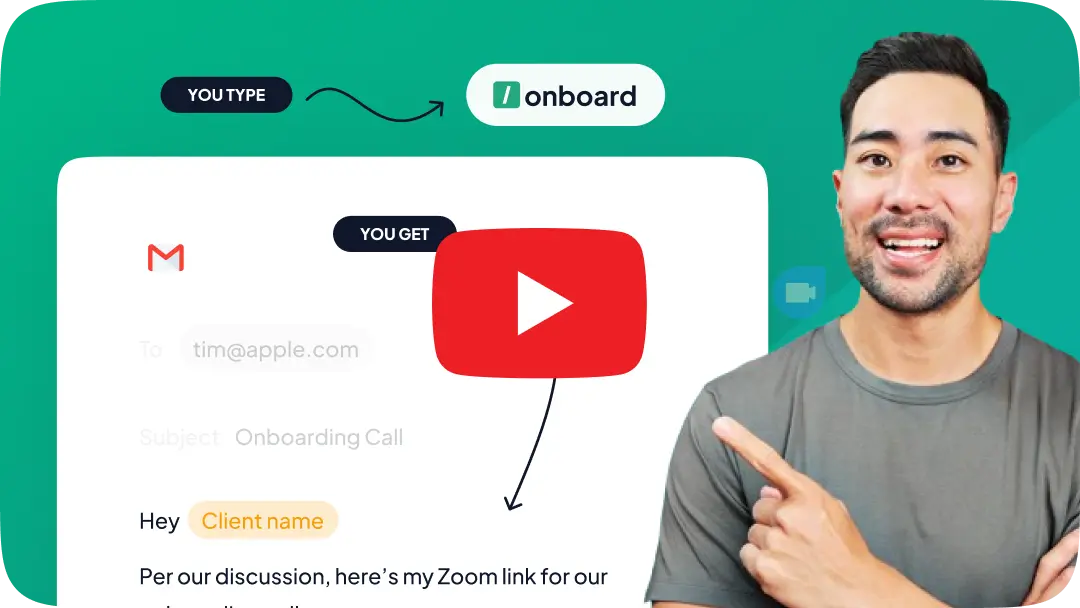
Install the Typedesk browser extension, plus the desktop app for Windows or Mac.
Save your most-used Front answers as templates, each with a short shortcut like /refund or /shipping.
In Front, or any other app, type the shortcut in the reply box and the full response expands instantly.
Front templates, everywhere you work
Front's templates are strong, but they stop at Front. Here is what Typedesk adds on top.
Fill in details as you type
Front variables auto-fill from saved contact and custom-field data. Typedesk adds fields you complete as the template expands, for order numbers, dates, or anything not already stored, so nothing is left blank.
Works beyond Front, in every app
Front templates work inside Front. Typedesk uses one library, so the same replies work in Front and in email, Slack, your CRM, and every other app your team uses.
One shortcut, everywhere you type
Front's /template shortcut works in Front. Your Typedesk shortcut expands the same reply the same way in Front and in every other app, from a single library.
Take Front message templates to a new level
The most versatile way to reuse your replies in Front and beyond
Features

Create templates with custom fill-in fields


Share templates with teammates
Insert templates with a text shortcut
Search templates by keyword
Organize templates into folders
Reuse the same templates across apps
Comparison covers the built-in reusable-message features available in each product's standard interface. Optional add-ins, mobile keyboards, developer APIs, and third-party tools are excluded.
Front message templates already include shared folders, keyword search, a /template shortcut, and dynamic variables that auto-fill from saved data. Typedesk's edge is fields you fill in as you type and using the same replies across every app, not just Front.
Reply faster, everywhere
Load your most-used answers into Typedesk, assign a shortcut to each, and reuse them in Front and every other app while staying on-brand.
I love typedesk! It is by far one of my favourite tools to have in our tech stack.

Pip Meecham
Tech Advisor & ClickUp Channel Partner
We use typedesk to ensure that communications remain aligned and uniform across all our channels as our company scales up.

Michael Johnson
Senior Certification Specialist, HighLevel
This software is unreal. It's like having a ChatGPT writing assistant on every single app I use and having all the prompts I can create at my fingertips.

Michael Montefusco
Founder, Fitness Marketing Machine
This app is a phenomenal tool.

David Shutler
Senior Recruitment Consultant
While our help desk does provide saved answers, I use typedesk to maintain a personal voice in my canned responses quickly and efficiently.
Melanie Shears
Finance & People Operations, Customer Billing Specialist, Helpscout
Very flexible & convenient, very fast, active developing team with regular updates! Saving me hours of my time.

Gerrit Grunert
Looking for Gmail CREMs
I(we) absolutely LOVE typedesk. This is a no brainer for any solopreneur or team that have to deal with customers support, fill forms on a regular basis, or just save time in general. It also syncs up on the cloud with everyone on the team so we have brand consistency across the company and remove the guessing out of the replies that our team have to generate keeping it custom for all our clients. We write or edit it once, and the entire team is automatically up to date for their very next communication. It's 10x faster, and works like a charm across all our platforms. UI is friendly with minimal learning curve. And like that wasn't enough, they just brought chatGPT integration at no extra cost allowing us to bring the power or 'reply', 'paraphrase', 'summarize' and much more to all our activities with the press of a keystroke. No need to copy/paste from one app to another or even having to go to chatgpt itself, it brings it right there and then for us. Thank you, definitely makes our life much easier. Our team now use it for their personal tasks as well.
Patrick Charlier
Co-founder
Hi all. This product is well developed, easy to use and fast. I use Typedesk for months now. Every day it helps me to accelerate my work. I can use canned response everywhere, shortcuts for common texts and organize them by theme. You can elaborate longer text models with variables. With ChatGPT integrated, it will become faster than ever. A must have tool. Bravo et mille fois merci !! @michel_vermeulen1

Philippe Ruaudel
A French SciFi writer A DBA Oracle
Simply the best time saving app, easy to use and implement and very lightweight

Jamie Forster
@jamie_forster
A useful cross-platform tool that gets much love and attention from its developers and regular updates. From time to time, I run into issues with new updates, but these are quickly fixed by their responsive team and my overall my experience with Typdesk has been amazing.

Panther Productions
Founder Freelance FOSS web agency
There's no app that can do what this does.

Rita Schaff
I love testing applications
Awesome tool and time-saver

Clay Curtin
Local gov
I absolutely love typedesk, and use it for a bunch of canned (and less canned, to be honest) responses, including a regular report I need to create for a client (cheating? No. Optimising it and just filling the numbers and name in [and a bit of random boilerplate] for a weekly report? YES!). Now enhanced with ChatGPT? Sign me up! I've been an avid recommender of Typedesk in my businesses for a while now. @michel_vermeulen and his team just gave me even more reason to move all my teams over.

Theo Pistorius
Founder of 4 SA biz's. Pls no cryptos
typedesk is well crafted, practical, and time saving in so many ways! Michel is a passionate CEO who really cares about giving his clients the best! 💪

Haley Dermody
@haleyderm

Teddy Mazereeuw
@teddy_mazereeuw
Overall, good tool that does what it says. Useful if you have a lot of texts that you often reuse. Not just for emails but actually for any text or words, or emojis. Tool is simple but functional, you can group your texts into folders etc. It is rather intuitive and works well.
atis
I love that you are available on both Chrome and Desktop. I can't wait for the Safari extension and the mobile app, then you're complete.
PhillipStemann
I used to use TextBlaze which did a great job. But their team plans start at $6.50/user/month.
rnh
this is a must-have tool for all company owners! huge time saver
masuk_sarker
We are a niche service industry and we get a bunch of leads and let me just say that takes up a lot of time when we could be using canned responses like a pro with typedesk. The idea is to free up time in responding so we all could use help with that I imagine. It pays for itself.
kor44
Typedesk is probably the only thing that made me want to keep my job as a chat agent. The quick search is absolutely amazing and fast, I have never seen a search like that. So many tags to make it easy. I have told my co-workers about this application, and I know some have tried it out. I am working on getting a team together. This is an absolute must for online support jobs.
Wingman835
I had been looking for something exactly like this for a while because others I've tried have disappointed me. I was beginning to think I would never find it.
Sumo-ling
After trying others, looking at how they worked (or didn't), and looking at their features and prices I realized, this is one sweet deal. Its clean, simple and does its job. Support is quick to reply. Thank you.
woodennickel
I love typedesk! There are so many times when I need to send or reply to a message but I'm in the middle of something else. Typedesk is the perfect tool for those times because it allows me to quickly create, customize and organize set responses. It's also great because I can share and edit my responses with my entire team across multiple platforms.
Sumo-ling
This solution is super useful. I have many cases, where I can use it in my daily work.
m_b

Trusted by 15,000+ teams worldwide

Frequently asked questions
Common questions about Front message templates and canned responses.
Visit learning center
 Does Front have canned responses?
How is Typedesk different from Front templates?
Does Typedesk work inside Front?
Can the whole team share the same responses across apps?
Is it free?
Sign up for FREE today
Join the text expander revolution. Get typedesk for you and your team today to reclaim your time!

Rated 4.8/5 over 300+ verified reviews
Live from our Blog Credential Evaluation Email Templates: 10 Ready-to-Use Examples


