
Outlook + Typedesk
email templates you can reuse everywhere
If you send the same Outlook email more than twice, Typedesk lets you stop retyping it. You save the message once, give it a short shortcut like /intro, and the full email appears the moment you type those characters inside Outlook. This page shows how the Typedesk integration works in Outlook and what it does that the native options do not.
Available on Mac, Windows and in your browser

Rated 4.8/5 over 300+ verified reviews
How to create email templates in Outlook
Outlook has native options like My Templates and Quick Parts, but they only work inside Outlook. Here is the native method, and the faster way with Typedesk.
Without Typedesk
For reference, here is the built-in method. The latest Outlook (new Outlook for Windows and Outlook on the web) uses My Templates; classic Outlook for Windows still uses Quick Parts. Either way, it takes several clicks and the templates only live inside Outlook.
With Typedesk
Typedesk sits on top of Outlook through the desktop app and the browser extension, so it works in both classic Outlook and Outlook on the web.
Open a new email or reply in Outlook.
In the compose toolbar, open the 'More actions' menu (the three dots) and choose 'My Templates'. If you don't see it, open 'Apps' and add My Templates first.
In the My Templates pane, click '+ Template', add a title, and type your template text.
Click 'Save'. Your template now lives in the My Templates pane.
To reuse it, open My Templates and click the template to drop it into your email.
In classic Outlook for Windows, use the 'Insert' tab instead: 'Quick Parts' > 'Save Selection to Quick Part Gallery'.
Create a template in Typedesk and assign it a shortcut, for example /refund or /meeting.
Open a new email or reply in Outlook and type the shortcut.
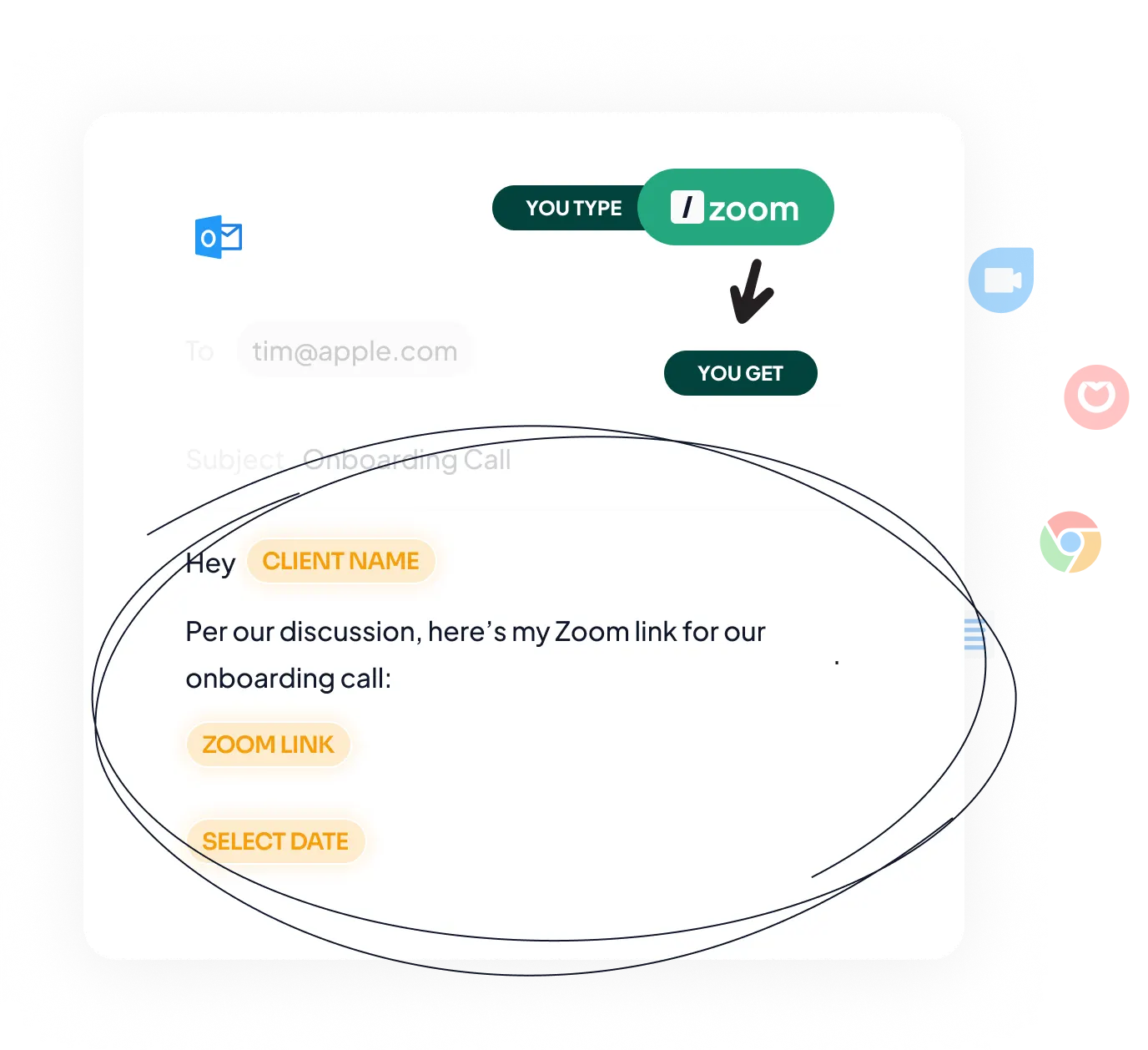
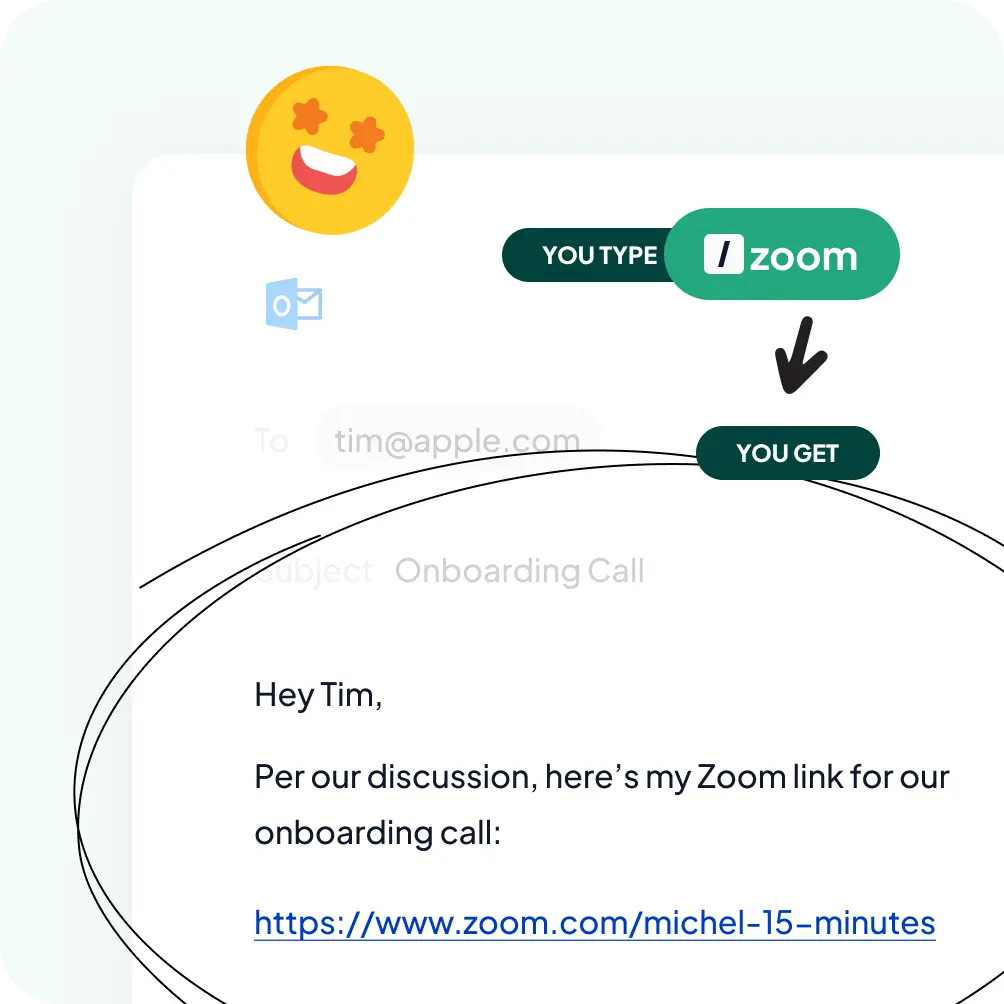
The full message expands instantly, formatting included.
Why Outlook users need reusable templates
Outlook is where follow-ups, status updates, intro emails, and the same five answers to the same five questions get written over and over. Native Outlook tools like My Templates and Quick Parts help, but they live only inside Outlook; they do not store variables that personalize each message, and they cannot be shared cleanly across a team. So people rebuild the same snippets in Outlook, then again in Gmail, then again in their help desk.
What to save as a template in Outlook:
- Meeting confirmations and reschedule replies.
- Intro and follow-up sequences for sales or recruiting.
- Standard answers to billing, scheduling, or onboarding questions.
- A formatted signature or disclaimer block.
How it works
Set up Typedesk once and reuse your Outlook templates everywhere you type.

Install the Typedesk desktop app for Windows or Mac, plus the browser extension for Outlook on the web.
Save your most-used Outlook emails as templates, each with a short shortcut like /refund or /meeting.
In Outlook, type the shortcut in the body or subject line and the full message expands instantly.
Keep one library across every tool
This is the part Outlook alone cannot do. The templates you build for Outlook are the same ones you use in Gmail, your help desk, Slack, and any web form, because Typedesk holds a single library that follows you everywhere. Update the wording once, and it updates in every app. Teams can share an approved library, so everyone sends consistent, on-brand replies.
Your Outlook templates, with superpowers!
Typedesk text expander boosts the effectiveness of your Outlook templates, offering smart placeholders and easy sharing options.
Customize every Outlook template with variables
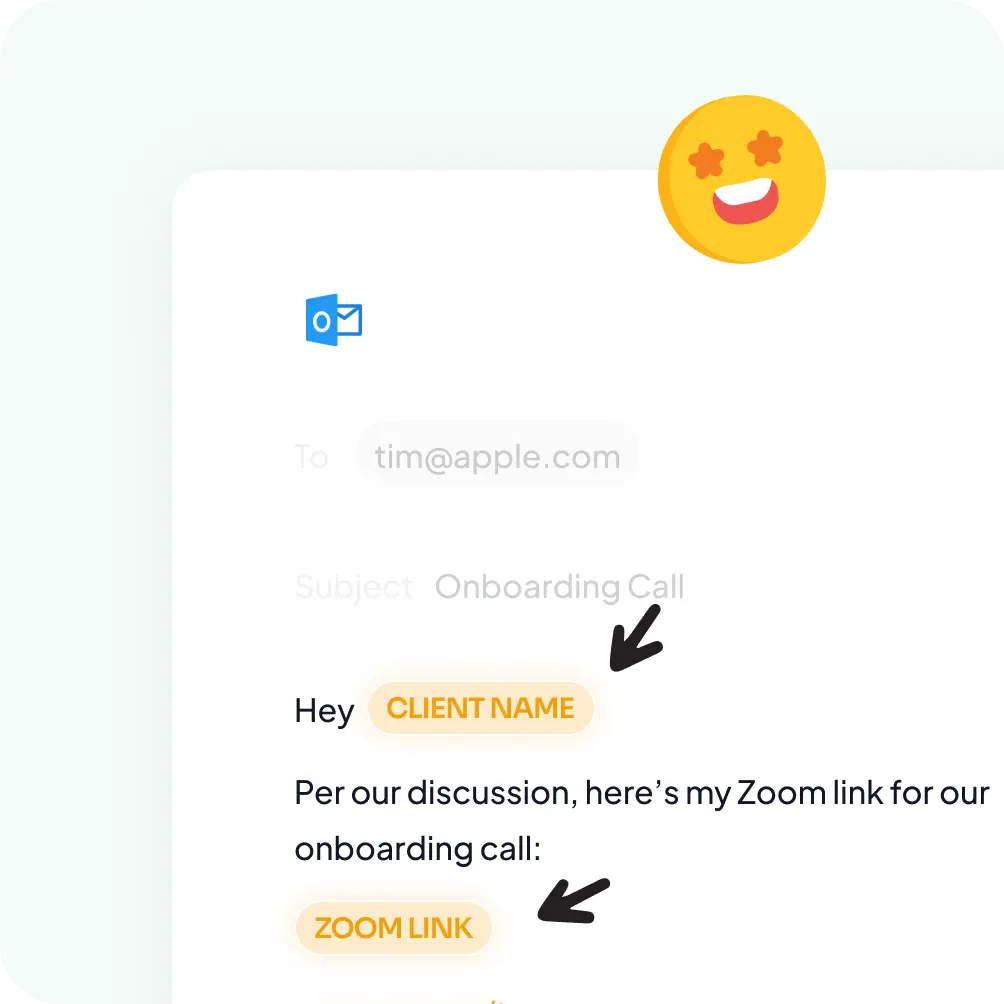
Typedesk drops a name, date, or order number into your Outlook template as it expands, so each email reads like you wrote it by hand, with no manual editing and no form-letter feel.
Works out of the box, in every Outlook
Typedesk templates work in classic Outlook, new Outlook, and Outlook on the web, with no add-in or integration to set up. Your shortcuts follow you across all of them.
Share one Outlook template library with your team
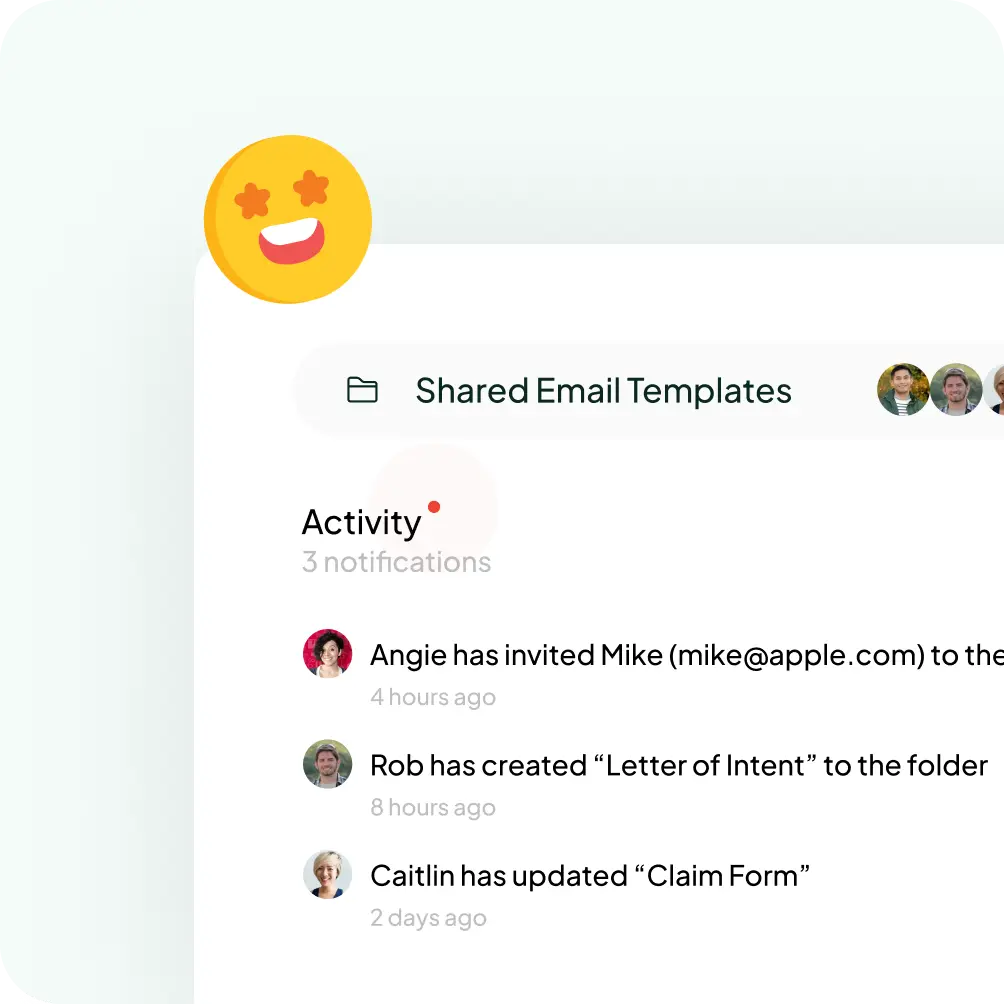
Keep every reply in a single shared library so your whole team sends consistent, on-brand emails. Update the wording once and it changes for everyone, something native Outlook templates can't do.
Insert any Outlook template with a shortcut
Type a short shortcut like /refund and the full template expands right where your cursor is, with no menus and no clicking through a My Templates pane.
Take Outlook templates to a new level
The most versatile solution to create and manage Outlook templates
Features

Create templates with custom fill-in fields


Share templates with teammates
Insert templates with a text shortcut
Search templates by keyword
Organize templates into folders
Reuse the same templates across apps
Comparison covers the built-in reusable-message features available in each product's standard interface. Optional add-ins, mobile keyboards, developer APIs, and third-party tools are excluded.
Bring your Outlook templates everywhere
Set up your most-used Outlook replies in Typedesk once, then use the same shortcuts in every tool you work in.
I love typedesk! It is by far one of my favourite tools to have in our tech stack.

Pip Meecham
Tech Advisor & ClickUp Channel Partner
We use typedesk to ensure that communications remain aligned and uniform across all our channels as our company scales up.

Michael Johnson
Senior Certification Specialist, HighLevel
This software is unreal. It's like having a ChatGPT writing assistant on every single app I use and having all the prompts I can create at my fingertips.

Michael Montefusco
Founder, Fitness Marketing Machine
This app is a phenomenal tool.

David Shutler
Senior Recruitment Consultant
While our help desk does provide saved answers, I use typedesk to maintain a personal voice in my canned responses quickly and efficiently.
Melanie Shears
Finance & People Operations, Customer Billing Specialist, Helpscout
Typdesk is a cross-platform tool that is highly valued by its developers and receives frequent updates. Although I sometimes encounter problems with new updates, the responsive team promptly fixes them. Overall, my experience with Typdesk has been excellent.

Natasha
HR Manager interested in upscaling orgs
Super easy to use with a clean interface. Useful tool.

Raul Estrela
Founder Tecla Digital on 2001.
Hi all. This product is well developed, easy to use and fast. I use Typedesk for months now. Every day it helps me to accelerate my work. I can use canned response everywhere, shortcuts for common texts and organize them by theme. You can elaborate longer text models with variables. With ChatGPT integrated, it will become faster than ever. A must have tool. Bravo et mille fois merci !! @michel_vermeulen1

Philippe Ruaudel
A French SciFi writer A DBA Oracle
A useful cross-platform tool that gets much love and attention from its developers and regular updates. From time to time, I run into issues with new updates, but these are quickly fixed by their responsive team and my overall my experience with Typdesk has been amazing.

Panther Productions
Founder Freelance FOSS web agency
Awesome tool and time-saver

Clay Curtin
Local gov
Have been using typedesk for a year, it saves so much time to not write the same again and again (names, emails, greeting formulas). And I have been beta testing the ChatGPT integration,it works as promised. Apart from not having to use the openai interface, I just change the keyword and don't have to retype or copy paste the basic prompt. And Michel always responsive.

Torsten P.
CEO automation.re - find embedded iPaaS
Typedesk allready was really usefull as my textexpander. But when I started using ChatGPT and other AI tools I quickly starting using Typedesk as my prompt repository too. If you are into prompting you'll notice that there is a lot of reoccuring phrases. Like "Imagine you are a SEO specialist" and "Write using Hemmingway rules". Exactly those elements you can store in Typedesk and use easily to construct your 'perfect' prompt. And you can use it in ChatGPT but also in all other AI tools. For me Typedesk is the 'perfect' prompt repository.

Asing Ku
@asing_ku
Typedesk is an automation tool for canned responses that can help increase efficiency and productivity in customer support. With this tool, agents can create and save predefined responses for common questions, allowing them to quickly respond to customers without having to type the same response over and over again. Typedesk is especially useful for those who work in customer support or similar roles where they receive many similar questions. Users can organize their responses into categories for easy searching and retrieval, and they can also customize their responses with replacement fields to tailor them to each specific case.

Tony Wiljanden
@tony_wiljanden
Brilliant text expander. Highly recommended for personal or team use.

Marcelo Bacchi
@marcelo_bacchi1
I liked the ability of standardizing, templating routine and every important interactions. IT saves time and lesser the mistakes the more productivy. Keep up!

Divyesh Vasani
podcaster about founder stories
I have been using Typedesk for a few months, and it has saved me so much time and allowed me to send out constant messages effortlessly!

Tor Jones
Backpack is filled with colored pencils.

Cyndi Dermody
@cyndi_dermody
I am very impressed with how the team handled my 3 star review. They reached out directly to Malwarebytes, got them the info to get the product white listed, and then followed up with me. This is a much needed product, if you type the same thing multiple times. Don't let this get away from you. It's a great product with 5 star service.
Kathe
Typedesk is a great way to automate your email responses.
janawilliams
After trying others, looking at how they worked (or didn't), and looking at their features and prices I realized, this is one sweet deal. Its clean, simple and does its job. Support is quick to reply. Thank you.
woodennickel
I am a past user of textexpander. What I can already say is that I am surprised that I can do even more with this product than with textexpander. I can store different language versions. Snippets and small programs for batch automation.... I think it is exactly the right program for me!
_SebastianB_
I love typedesk! There are so many times when I need to send or reply to a message but I'm in the middle of something else. Typedesk is the perfect tool for those times because it allows me to quickly create, customize and organize set responses. It's also great because I can share and edit my responses with my entire team across multiple platforms.
Sumo-ling
I use TextBlaze and I was looking for an alternative. typedesk is the perfect solution for me. The interface is clean and modern. It is easy to use and it works :) I am very happy with my purchase. Thank you guys from AS and typedesk for bringing this amazing deal to us!
MBO
We're loving typedesk! It's easy to use, and saves us tons of time when it comes to sending emails to our customers. The variables work well, although we wish we could have alternate email addresses assigned to each user and be able to use them in variables.
sebfontan
Typedesk ist ein prima Tool. Das Beste ist, dass man "Canned Responses" mit "Variablen" festlegen kann. Dies kann gerade im Support eine Menge Zeit sparen.
Marco

Trusted by 15,000+ teams worldwide

Frequently asked questions
Common questions about Outlook templates and canned responses.
Visit learning center
 Can you create an email template in Outlook?
Why did my Outlook email templates disappear?
Does Typedesk work in both Outlook desktop and Outlook on the web?
Are Outlook email templates free?
Sign up for FREE today
Join the text expander revolution. Get typedesk for you and your team today to reclaim your time!

Rated 4.8/5 over 300+ verified reviews
Live from our Blog Omnichannel Support Software: How to Choose the Right Tools


