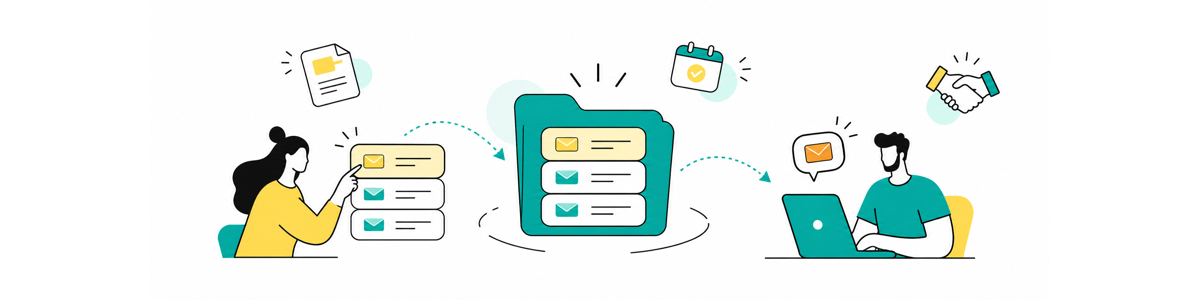
Shared sales templates are reusable messages that a team maintains in one central library. They give sales representatives an approved starting point for recurring conversations while leaving room to personalize the prospect's priorities, objections, stakeholders, and next step.
The best shared template system does more than save writing time. It prevents outdated pricing explanations, forgotten follow-ups, inconsistent promises, and the mysterious appearance of files named "Final proposal follow-up v4 NEW".
What are shared sales templates?
Shared sales templates are centrally maintained messages that multiple sales representatives can use during prospecting, qualification, demos, proposals, negotiation, and follow-up.
Unlike a private email template, a shared template has a clear owner. When the approved wording changes, the owner updates one maintained version instead of asking every representative to find and replace their personal copy.
A shared sales template can include:
- Approved language that should remain consistent
- Variables for prospect and account information
- Prompts for details the representative must verify
- Optional sections for different scenarios
- A defined purpose and sales stage
- Guidance explaining when the template should, and should not, be used
The goal is not to make every salesperson sound identical. It is to keep the repeatable part reliable so representatives can spend more time on the part that requires judgment.
Why do personal template collections eventually break down?
Personal templates work when one person is responsible for every message. They become harder to manage when ten people maintain ten slightly different versions of the same proposal introduction.
The problem is rarely the original template. The problem is what happens afterward.
| Personal-template problem | Effect on the sales process |
|---|---|
| Each representative edits a separate copy | Pricing, links, product claims, and next steps drift apart |
| Templates are named according to personal habits | Other team members cannot find the right message |
| Nobody owns the approved version | Outdated language continues circulating |
| The template contains too much fixed text | Messages sound generic and require heavy rewriting |
| Representatives save successful messages privately | The rest of the team cannot reuse what worked |
| Templates are stored in one application | Representatives copy and paste between the CRM, inbox, documents, and LinkedIn |
A shared library creates one maintained starting point. Representatives still decide whether the message fits, add account-specific context, and review the finished version before sending.
Which sales messages belong in a shared library?
A sales message is a strong candidate when several people use it, its structure repeats, and inconsistency could slow down or confuse the buying process.
Good candidates include:
- Cold outreach frameworks
- Referral introductions
- Meeting confirmations
- Discovery-call follow-ups
- Demo recaps
- Proposal introductions
- Procurement instructions
- Security-review responses
- Objection follow-ups
- Stakeholder recap messages
- Closed-lost follow-ups
- Customer handoffs after closing
Not every message needs to be shared. A highly personal note to a long-term contact, a strategic executive email, or a response to an unusual negotiation may be better written individually.
The practical test is simple: Is the structure repeatable even when the details change?
If the answer is yes, a shared template can provide the structure while the representative supplies the details.
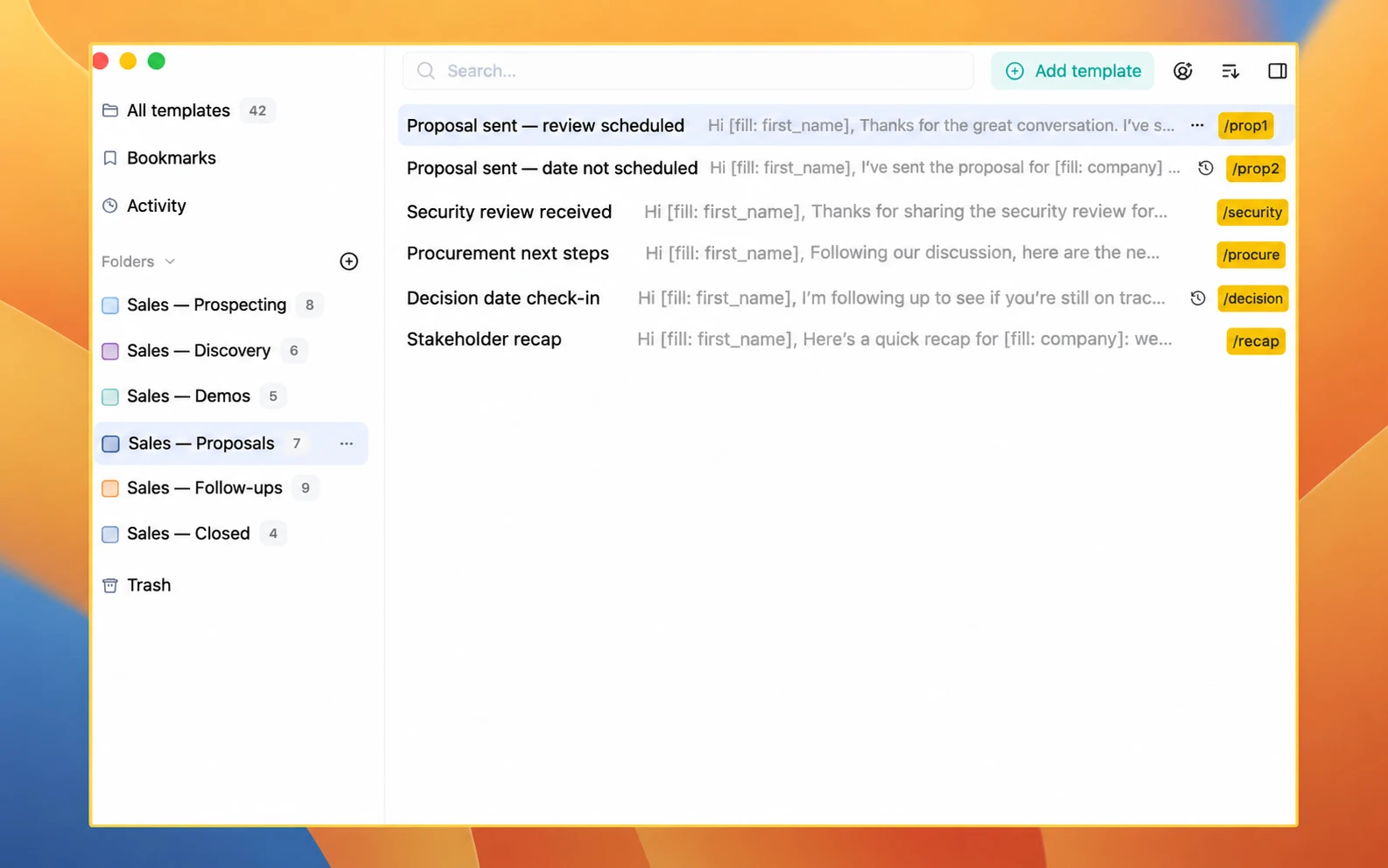
Organize templates around the sales process
A useful library follows the way the sales team works. It should not require representatives to understand an internal filing system before they can send a follow-up.
One possible structure is:
| Sales stage | Shared folder | Example templates |
|---|---|---|
| Prospecting | Introductions | Cold introduction, referral introduction, event follow-up |
| Qualification | Discovery | Meeting confirmation, discovery recap, missing-information request |
| Evaluation | Demos | Demo confirmation, demo recap, resource follow-up |
| Proposal | Proposals | Proposal introduction, proposal sent, proposal clarification |
| Decision | Objections and approval | Security review, procurement steps, stakeholder follow-up |
| Follow-up | Active follow-ups | No-response follow-up, value-add follow-up, decision-date check-in |
| Closed | Won and lost | Customer handoff, closed-lost follow-up, future re-engagement |
Keep the first version small. A focused library of frequently used messages is more valuable than hundreds of imported emails nobody can confidently use.
Typedesk's guide to building a shared template library recommends beginning with one repeatable workflow, adding approved content, assigning ownership, and testing the library with a small group.
Build each template from fixed and changing information
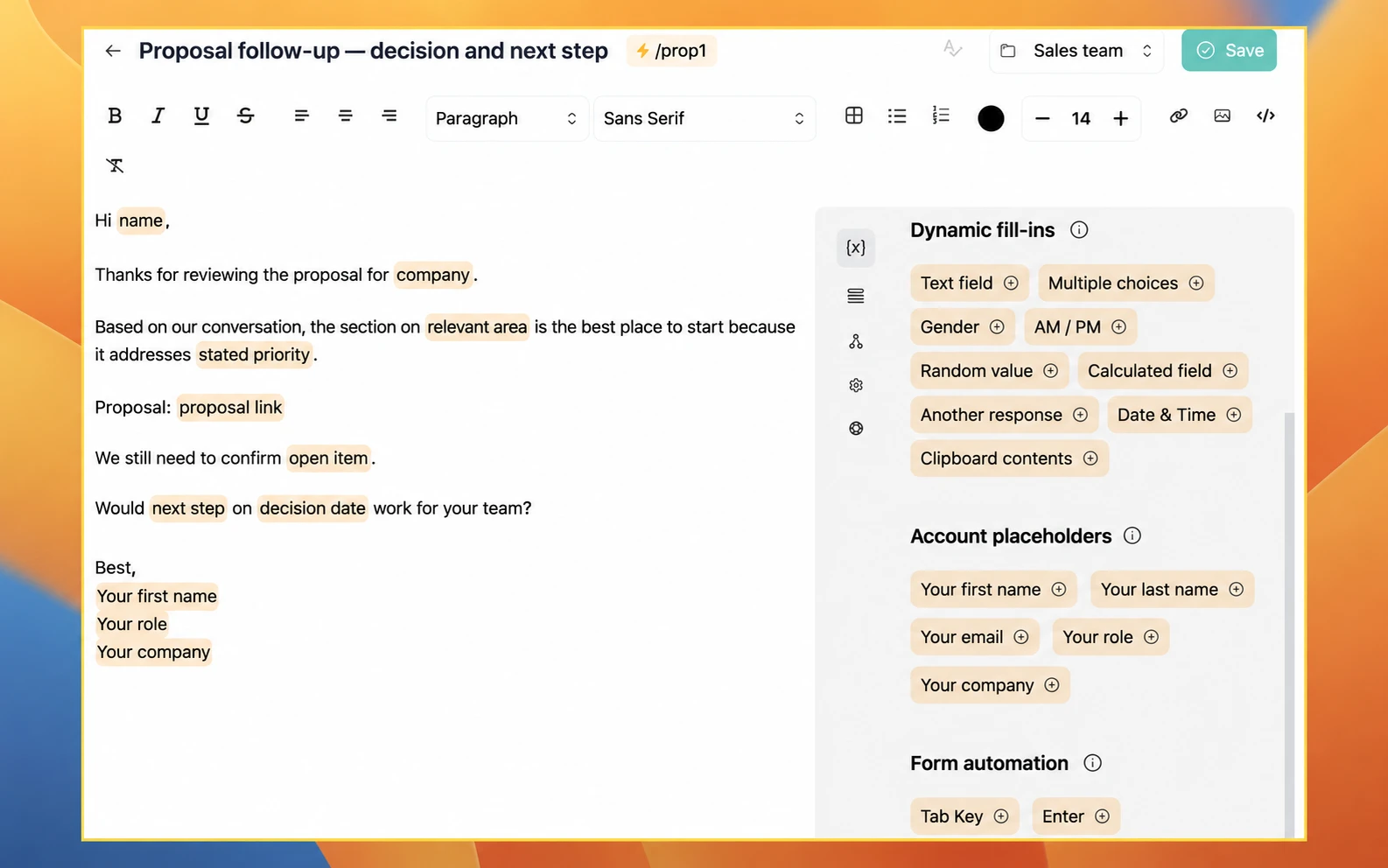
The easiest way to make a template feel personal is to separate what should remain stable from what must change.
Fixed information
Fixed information might include:
- The purpose of the message
- Approved product terminology
- A standard explanation of the next step
- A link to the correct resource
- Required compliance language
- A consistent closing question
This information should change only when the underlying process or company guidance changes.
Changing information
Changing information might include:
- Prospect name and company
- Business problem
- Priority discussed during the call
- Relevant product or use case
- Stakeholders involved
- Proposal link
- Decision date
- Agreed next action
- Representative's name and booking link
These details must be verified for every recipient.
Representative judgment
Some information cannot be reduced to a variable:
- Which pain point matters most
- Whether a follow-up is appropriate
- What objection needs to be addressed
- How direct the next-step question should be
- Whether the message needs a new explanation rather than a template
A shared template should support that judgment, not hide it.
What should a proposal follow-up template contain?
A proposal follow-up should help the buyer understand what was sent, why it fits the conversation, what still needs clarification, and what happens next.
A useful structure is:
- Reference the prospect's stated priority.
- Link to the correct proposal.
- Highlight the section most relevant to that priority.
- Identify any open question or dependency.
- Confirm a specific next step.
For example:
Select Copy template to copy the full text. Highlighted details paste in [brackets], so they're easy to find and replace.
I've sent the proposal for company or project. Based on our conversation, the section on relevant area is likely the most useful place to start because it addresses stated priority.
We still need to confirm open item. Would it make sense to review that together on date or agreed next step?
The structure is reusable. The priority, open item, and next step are not.
Before sending, the representative should verify the proposal version, commercial terms, dates, links, recipient list, and any promises included in the message.
What should a sales follow-up template contain?
A follow-up needs a reason to exist. "Just checking in" may be quick to send, but it gives the recipient little reason to respond.
A useful follow-up should do at least one of the following:
- Clarify a question
- Add a relevant resource
- Connect the product to a stated priority
- Confirm a decision date
- Introduce a useful stakeholder
- Summarize an agreed action
- Make it easy to close or pause the conversation
Typedesk's collection of 20 outreach email templates includes cold outreach, value-first messages, follow-ups, proposal-style partnership outreach, and re-engagement examples. Those templates provide the messages. A shared sales library provides the system for maintaining and deploying them across a team.
Give every shared template a clear name
A good name tells the representative when to use the template.
Useful names include:
- DISC: Discovery recap and next step
- DEMO: Follow-up with requested resource
- PROP: Proposal sent, review scheduled
- PROP: Proposal sent, date not scheduled
- SEC: Security questionnaire received
- FU: Decision date check-in
- CLOSED: Reconnect next quarter
Names such as "Follow-up 2", "Good proposal email", or "Latest version" require people to open several templates before finding the right one.
If two templates appear almost identical, either combine them or make the difference obvious in their names.
Decide who can use, edit, and manage templates
Most representatives need to use shared templates. Far fewer people need to edit every template.
A simple governance model might look like this:
| Role | Recommended responsibility |
|---|---|
| Sales representatives | Use approved templates and suggest improvements |
| Sales operations | Organize the library and maintain workflow-related templates |
| Product marketing | Review product positioning and supporting resources |
| Legal or security | Approve regulated, contractual, or security-related language |
| Sales leadership | Assign owners and resolve conflicting guidance |
| Library owner | Remove duplicates, review changes, and coordinate updates |
Typedesk separates account roles from folder permissions. Shared folders can give people Viewer, Editor, Admin, or Owner access depending on what they need to do. The current definitions are documented in Typedesk's folder-permissions guide.
The principle applies regardless of the software: the people using a message do not all need permission to rewrite its approved foundation.
Preserve personal voice without creating personal copies
Shared templates should contain the part the team wants to maintain together. Representatives can still personalize:
- The opening line
- The observation that led to the outreach
- The prospect's stated goal
- The example or resource selected
- The transition into the next step
- The sign-off
Avoid solving personalization by letting everyone duplicate and rewrite the full template. That recreates the original maintenance problem.
A better system keeps the central message current and makes the changing details easy to complete.
Review templates when the underlying information changes
A fixed quarterly review is not necessary for every sales message. Review frequency should reflect how quickly the information changes and how costly an error would be.
Review a template when:
- Pricing or packaging changes
- A product name or capability changes
- A booking or proposal link changes
- Legal or security language changes
- The sales process changes
- A resource is replaced
- Representatives repeatedly rewrite the same section
- The template creates confusion or poor-quality replies
- The team stops using it
A simple record can include the template owner, last meaningful review, related sales stage, and the event that should trigger another review.
Do not update a "last reviewed" date without reviewing the content. A fresh date on an outdated template is worse than no date at all.
Measure whether the library improves selling
The number of templates in the library is not a useful success metric by itself.
Instead, look at:
- How quickly representatives find the correct message
- Which shared templates are actually used
- How much rewriting is required
- Whether outdated versions still appear
- Whether new representatives adopt the library
- Whether proposal and follow-up messages contain the correct next step
- Whether the team receives fewer questions caused by inconsistent wording
Usage data can identify popular and ignored templates, but it cannot tell you whether a message was appropriate or persuasive. Combine quantitative usage with examples from real conversations and feedback from the representatives using the library.
How to introduce shared templates to a sales team
1. Choose one workflow
Start with a high-volume, clearly defined process such as demo follow-ups or proposal delivery.
2. Collect the versions already in use
Ask representatives what they currently send. Review CRM templates, personal inbox templates, documents, notes, and saved messages.
3. Remove outdated and duplicate content
Do not migrate every message simply because it exists. Keep the strongest version and preserve alternatives only when they serve genuinely different situations.
4. Separate fixed content from variables
Identify the facts, links, and instructions that should remain stable. Turn the recipient-specific details into clearly named variables or editing prompts.
5. Assign an owner
Choose the person responsible for reviewing changes and resolving conflicting versions.
6. Test with real opportunities
Use the templates in ordinary deals, complex deals, and conversations that do not fit the standard path. Record what representatives still need to rewrite.
7. Expand only after the first workflow works
A successful proposal folder is a better foundation than a company-wide library nobody trusts.
How Typedesk supports shared sales templates
Typedesk stores reusable messages in folders that can be shared with selected team members. Teams can assign folder permissions, add variables for changing information, and insert templates through shortcuts or search.
Because Typedesk works across supported desktop applications and websites, representatives can use the same maintained content in email, CRM fields, documents, social conversations, and other places where they write. Typedesk complements the CRM: it helps representatives retrieve and personalize approved wording, while the CRM remains responsible for accounts, opportunities, activities, and pipeline history.
Sales teams evaluating Typedesk can learn more on the Typedesk sales page or review how to create and insert templates.
Frequently asked questions
What is the difference between a shared sales template and a sales sequence?
A shared template provides reusable content that a representative selects, personalizes, reviews, and sends. A sales sequence schedules a series of messages or tasks according to configured timing and rules. A team may use templates within a sequence, but the content library and the delivery automation serve different purposes.
Can shared sales templates replace a CRM?
No. A CRM manages contacts, accounts, opportunities, activities, pipeline data, and reporting. A shared template system manages reusable communication. The two can work together.
How many sales templates should a team create?
There is no universal number. Start with the messages several representatives use frequently and where consistency matters. Add another template when it solves a recognizable recurring situation, not simply because someone found an old email worth saving.
Should every representative be allowed to edit shared templates?
Usually not. Representatives should be able to suggest improvements, but editing rights should reflect ownership and risk. Pricing, legal, security, and product-language templates normally need tighter control than ordinary meeting confirmations.
How do shared templates stay personal?
Keep approved facts and structure in the template, then require representatives to add the prospect's priority, context, relevant resource, and next step. Variables can collect predictable details, while the representative remains responsible for the finished message.
What is the difference between a sales template and a canned response?
Both are saved messages designed for reuse. "Sales template" describes the use case, while "canned response" is more common in customer service. In either case, the message should be reviewed and personalized before it is sent.
A shared library should make good selling easier
The purpose of a shared sales library is not to produce the largest possible collection of emails.
It is to give the team a reliable starting point for recurring conversations, keep important information current, and make thoughtful personalization easier.
Start with one sales stage. Keep one maintained version of each message. Give every important template an owner. Then let representatives spend their time on the part no template can supply: understanding the buyer in front of them.